Google Ads
Prerequisites for Configuring Google Ads Data Source
- A Google Ads Account linked to a Google Ads Manager account
- To apply for the developer token, follow Google's instructions
- To get Client ID, Client Secret, Refresh Token, refer Google's documentation for detailed instructions on how to obtain these credentials
Configuring Google Ads Data Source
- Select the Source Type as Google Ads
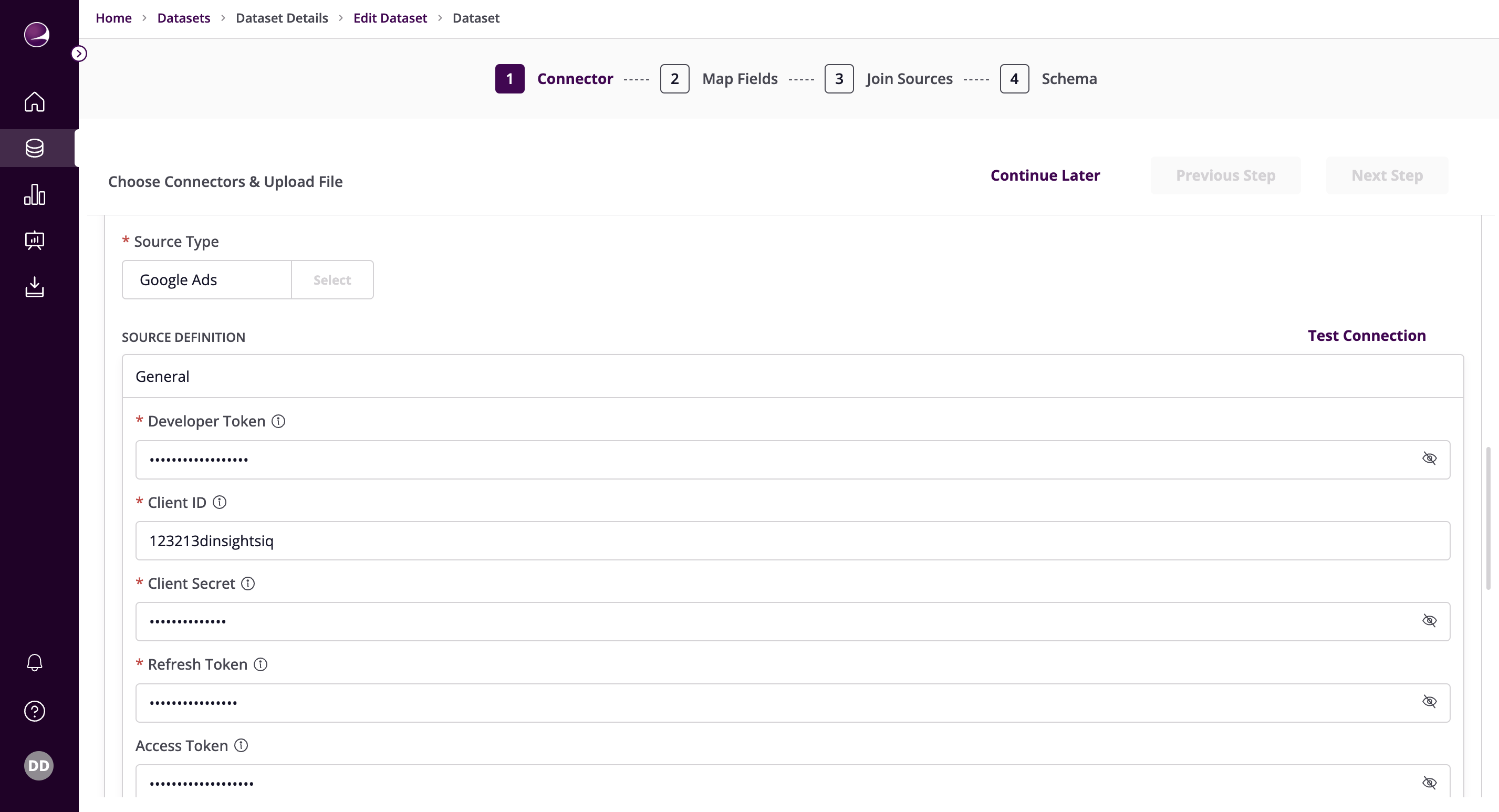
- Fill in the required details:
Developer token, Client ID, Client Secret, Refresh Token - Enter the credentials obtained from prerequisites
Access Token - Specify the Access Token for making authenticated requests
Customer ID(s) - Enter a comma-separated list of the Customer ID(s) for your account. These IDs are 10-digit numbers that uniquely identify your account. To find your Customer ID, please follow Google's instructions. Leaving this field blank will replicate data from all connected accounts.
Start Date - Enter a Start Date using the provided datepicker, or by programmatically entering the date in YYYY-MM-DD format. The data added on and after this date will be replicated.
Custom GAQL Queries - You can use the Custom GAQL Queries field to enter a custom query using Google Ads Query Language. Multiple queries can be provided.
Example GAQL Custom Query:
SELECT
    campaign.name,
    metrics.conversions,
    metrics.conversions_by_conversion_date
FROM ad_group
Note: segments.date is automatically added to the WHERE clause if it is included in the SELECT clause. Custom reports including segments.date in the SELECT clause will be synced by day.
Each custom query in the input configuration must work for all the customer account IDs. Otherwise, the customer ID will be skipped for every query that fails the validation test. For example, if your query contains metrics fields in the select clause, it will not be executed against manager accounts.
Follow Google's guidance on Selectability between segments and metrics when editing custom queries or default stream schemas (which will also be turned into GAQL queries by the connector). Fields like segments.keyword.info.text, segments.keyword.info.match_type, segments.keyword.ad_group_criterion in the SELECT clause tell the query to only get the rows of data that have keywords and remove any row that is not associated with a keyword. This is often unobvious and undesired behavior and can lead to missing data records. If you need this field in the stream, add a new stream instead of editing the existing ones.
Login Customer ID for Managed Accounts - If your access to the customer account is through a manager account, this field is required and must be set to the customer ID of the manager account (10-digit number without dashes). More information about this field you can see here.
- Example:
7349206847
- Example:
Conversion Window - Enter a Conversion Window. This is the number of days after an ad interaction during which a conversion is recorded in Google Ads. For more information on this topic, see the section on Conversion Windows below, or refer to the Google Ads Help Center. This field defaults to 14 days.
End Date - Enter an End Date in YYYY-MM-DD format. Any data added after this date will not be replicated. Leaving this field blank will replicate all data from the start date onward.
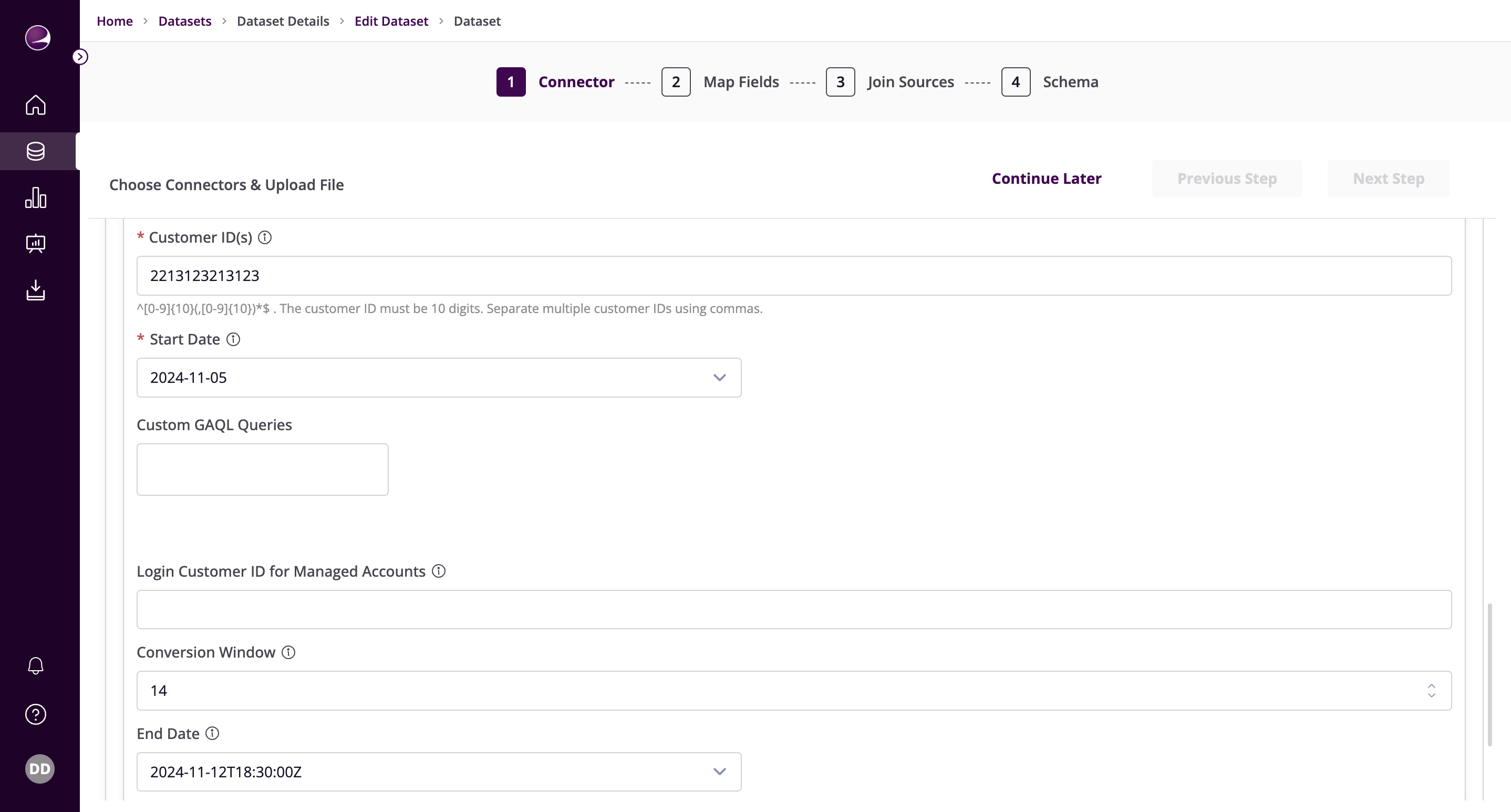
- Click on Test Connection to verify if the connection is established successfully.